
You're going to stop saying "ugh, I have to write that report again". Promise.
Is this a good hook? Honestly, no idea... but I hope so, because what I'm about to tell you is REALLY GOOD.
At Welov, we've launched automated custom report generation. What does that mean for you?
I'll break it down with 5 concrete examples, though honestly, we'd love for you to find even more ways to make it your own.
Wait! The most important part: these reports are generated in under 2 minutes. And no, I'm not making that up.
Oh, and best of all? They're available on the 14-day free trial, so I'm not sure what you're waiting for, you should already have a new tab open (fine… here's the link).
1. Report to validate a content hypothesis
You're wondering whether your brand should post more videos in Q2. Welov answers that in seconds with a report like this:
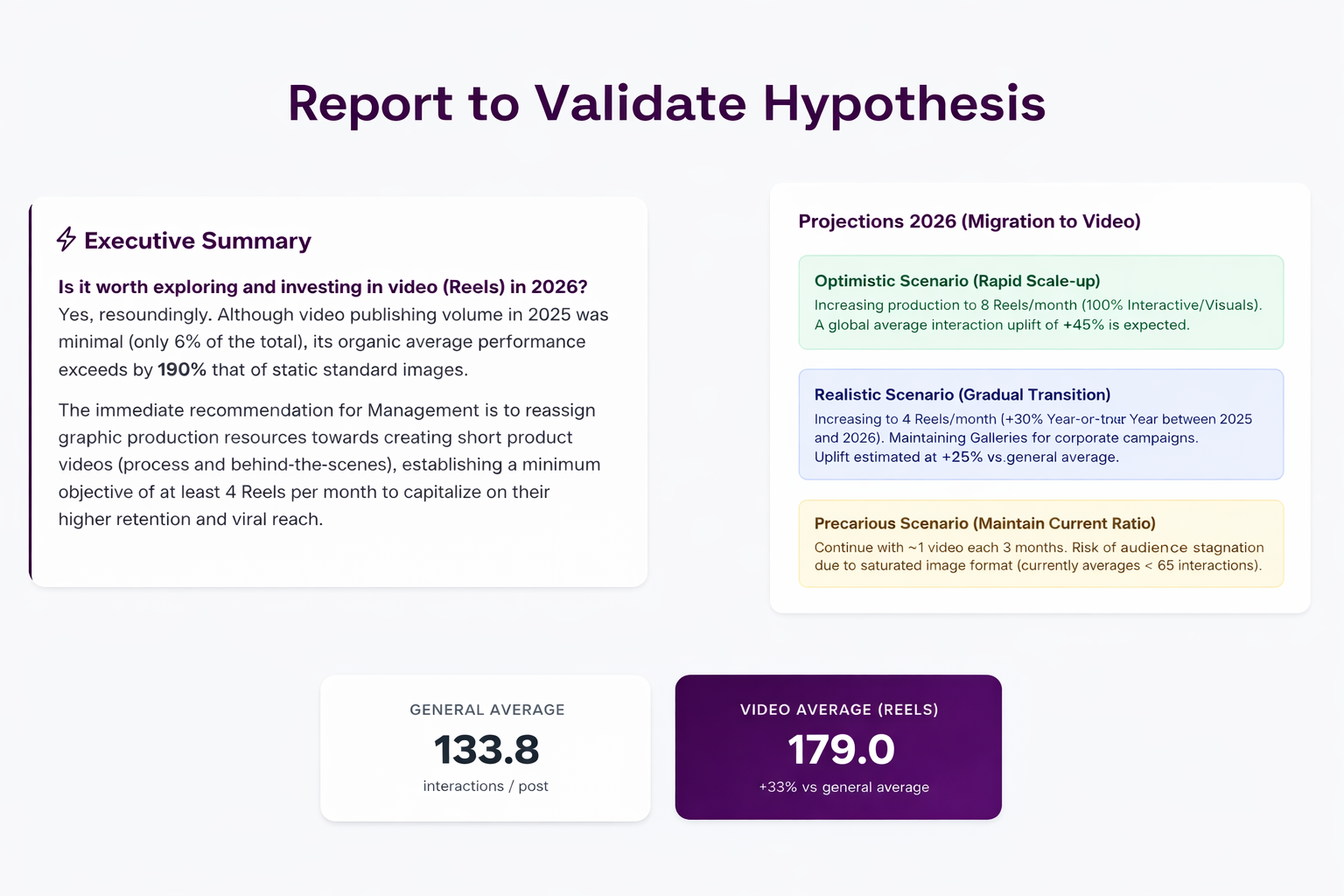
A sample report validating the hypothesis "should we post more videos?" using public Instagram data from Tirma.
I want to see the full report!
2. Social media report for the CEO. Ready before they even ask.
If this request just landed in your inbox out of nowhere, Welov has you covered with a report like this:
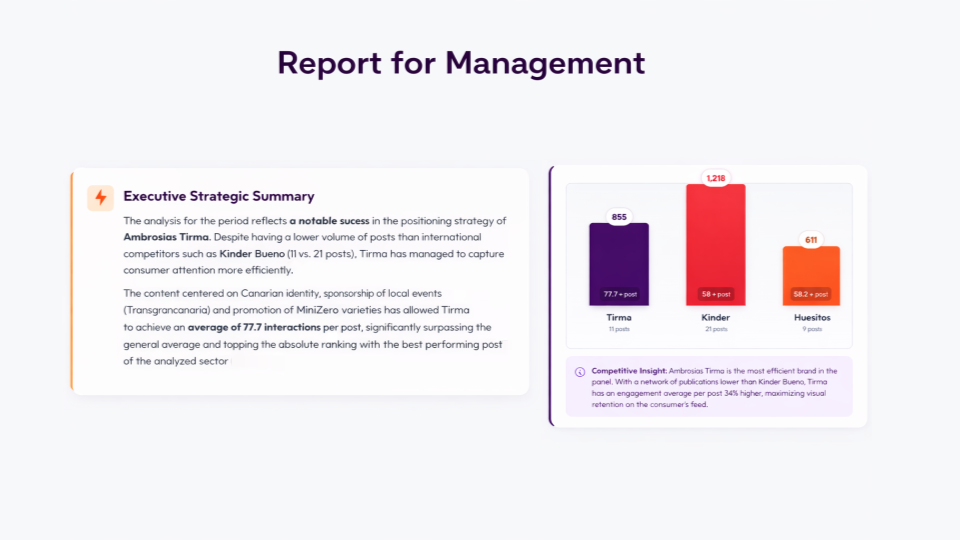
A sample for Marketing Leadership using public Instagram data from Tirma, Huesitos and Kinder Bueno.
I want to see the full report!
3. Benchmarking report: competitor trends and content
Need to understand your competitors' content pillars and trends, with quantitative arguments for your strategy? Don't worry, it's all in a report like this:
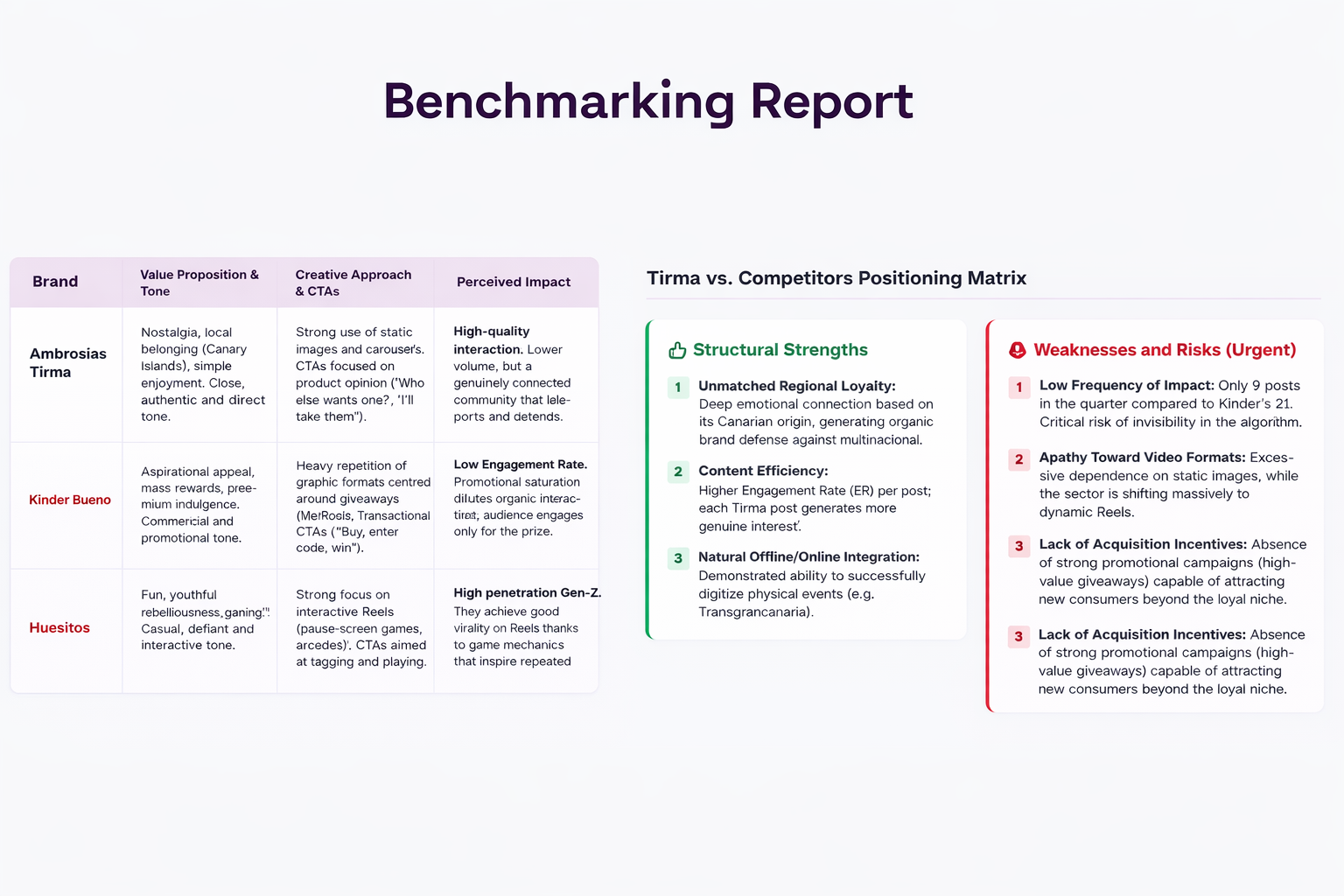
A sample benchmarking report from Tirma's perspective, using public Instagram data from Tirma, Huesitos and Kinder Bueno.
I want to see the full report!
4. Campaign results report by hashtag, product, or topic
As simple as asking it to analyze every post tagged with a hashtag, about a product, or around a topic. You'll get something like this:
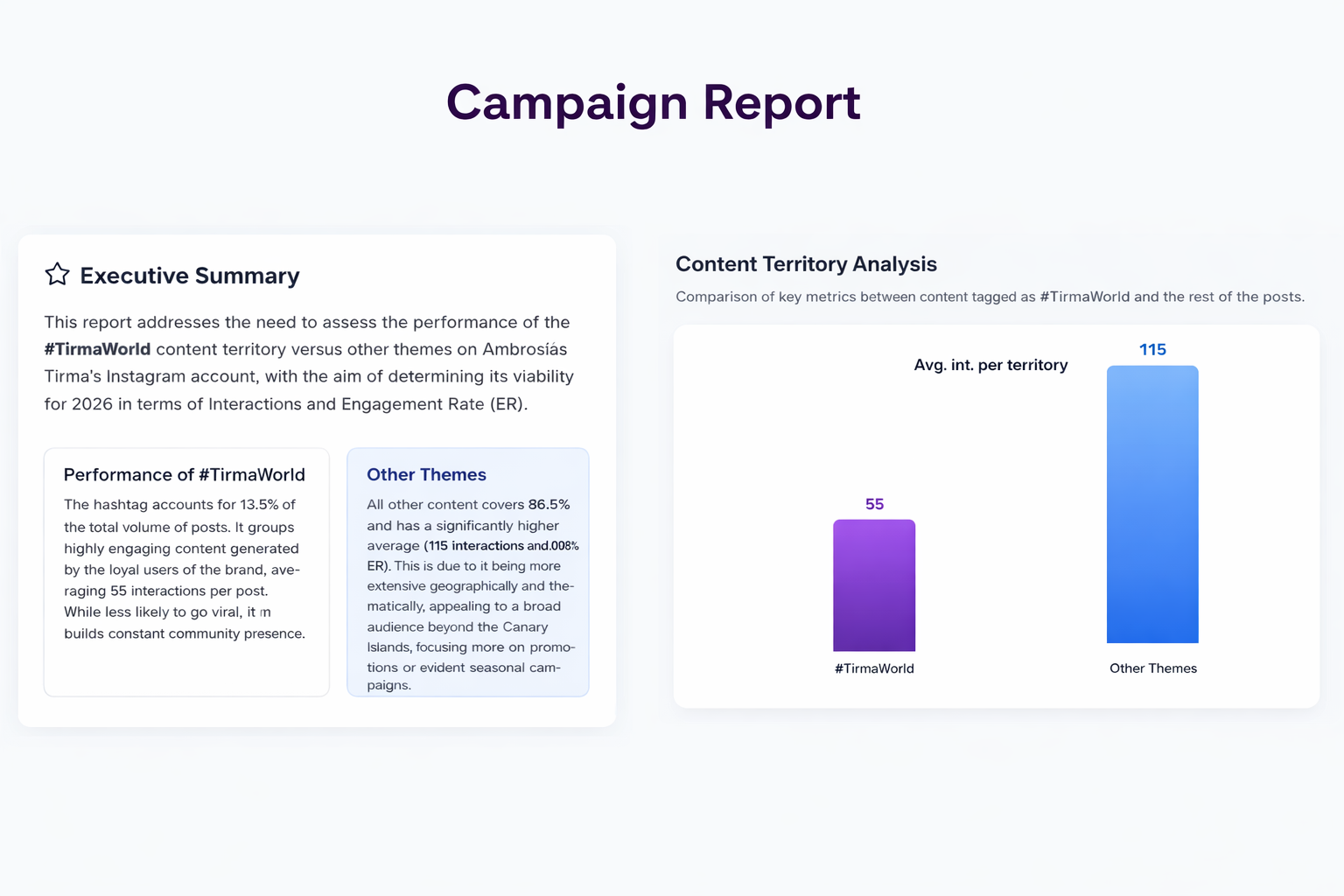
A sample report analyzing the performance of #TirmaWorld posts using public Instagram data from Tirma.
I want to see the full report!
5. Social media report in your brand's tone and voice
If you're on the creative team, this one's your favorite. I'll let you judge for yourself.
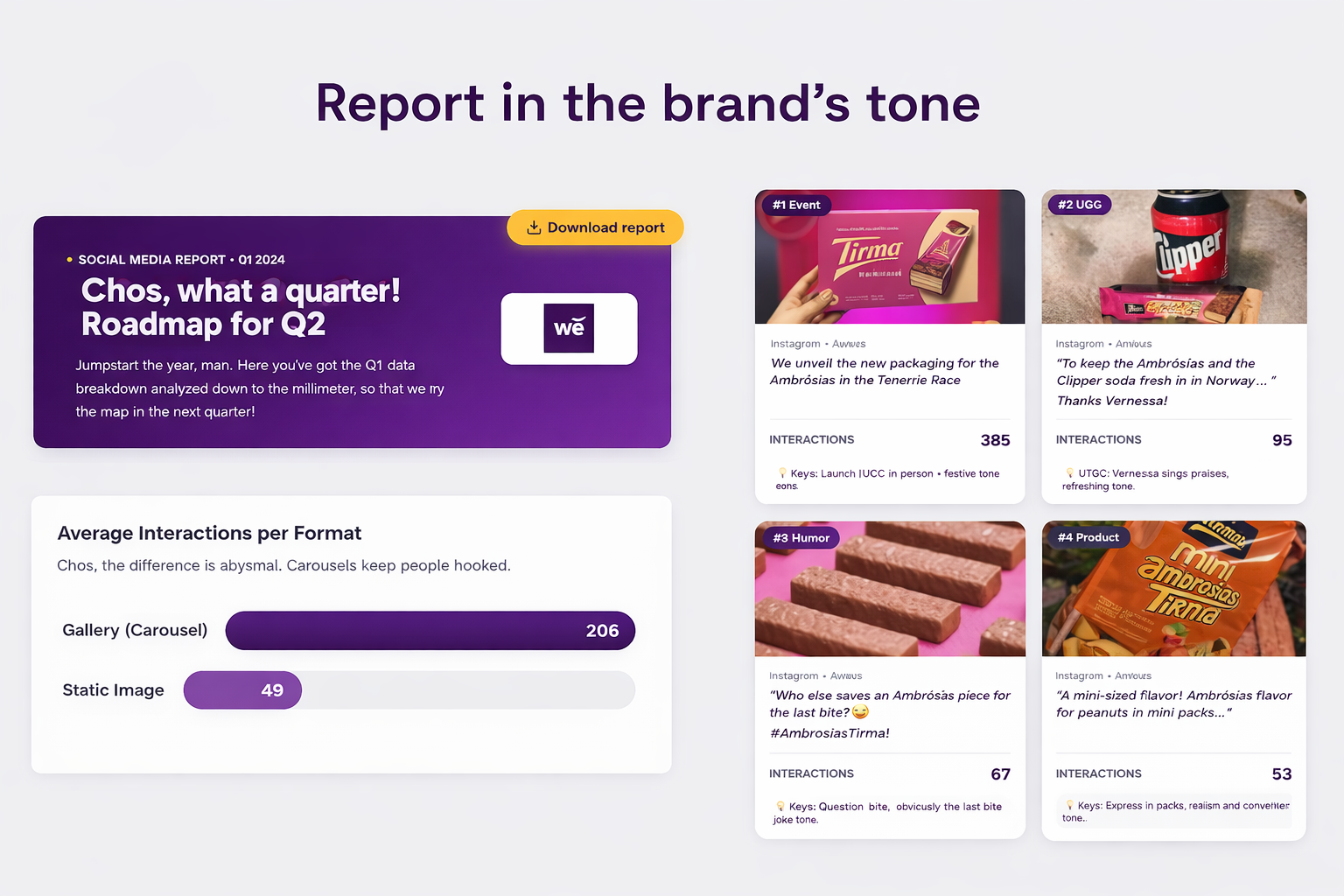
A sample report written in the "Canarian" informal brand voice, analyzing Q1 and recommending Q2 actions, using public Instagram datafrom Tirma.
I want to see the full report!
How to generate a social media report with Welov: step by step
1. Create a Welov account (I'm assuming you've already done that by now)
2. Connect the profile you want to analyze (or several, if you're feeling ambitious)
3. From a content view, select the time range you want.
4. Click "Content Report" (your new favorite button ✨)
5. Customize with a prompt (pro tip: hit "improve with AI")
6. Sit back, take a sip of coffee, and let it do its thing.
How long does Welov take to generate a social media report?
Short answer: under 2 minutes, try it with your 14-day free trial.
Long answer: Welov collects all the data from the profiles you connect, analyzes the top posts from your selected time range, and runs the prompt you specify in the report section to customize the final PDF (which, by the way, you can download).
The whole process is as automatic, fast, and precise as the technology allows.
There's a lot more I could say, but I'd rather you discover it yourself. So here's the link again 😉.
Stuck? Not sure how to proceed? Need a spiritual guide? Book a session with the Welov team.
FAQs about Welov's automated social media reports
What social networks does Welov's report generator support?
All the ones connected to your Welov project, both your own profiles and competitor profiles (Instagram, X, YouTube, TikTok).
Can I download the report as a PDF?
Yes, you can have it as a downloadable PDF.
Do I need to know how to write prompts to use this feature?
Of course not! Just tell it what you need. That said, if you want even sharper results, check out this general guide on using AI and these prompt writing tips.